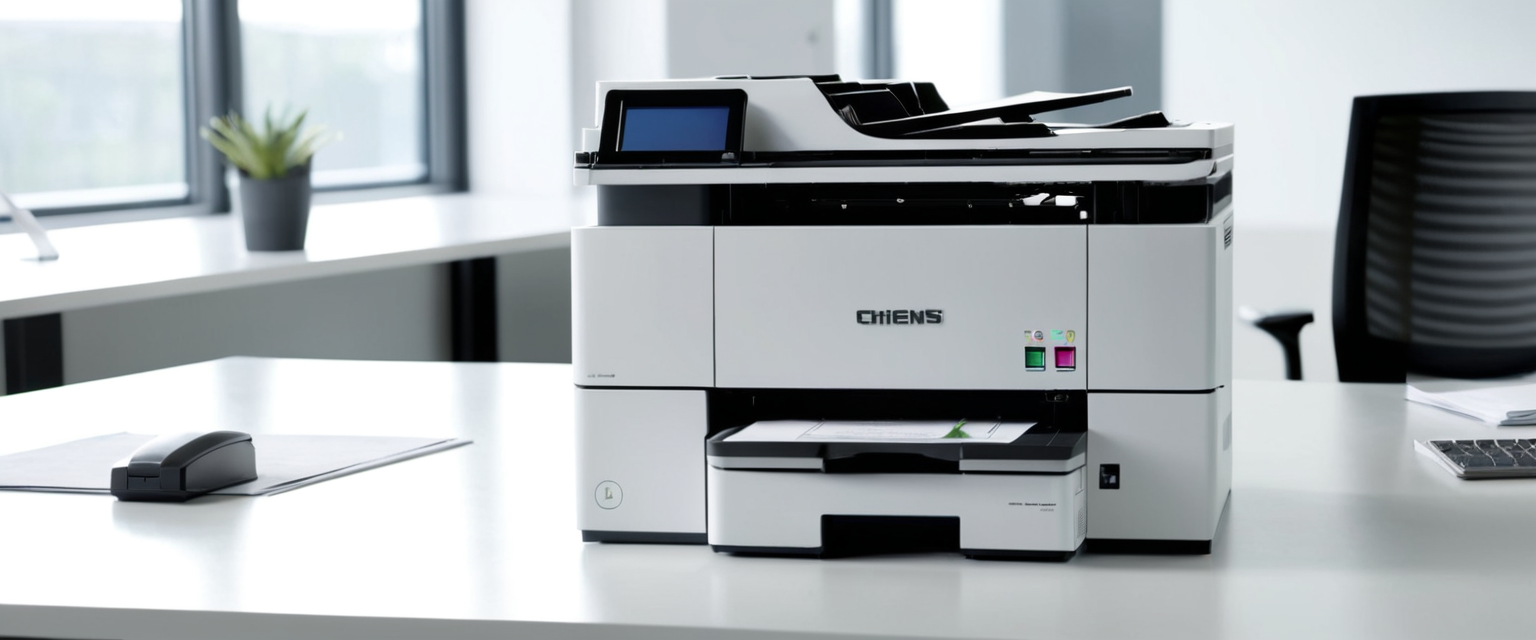
Multifunction printers (MFPs) represent one of the most critical yet persistently overlooked security vulnerabilities in modern office environments, particularly for organizations handling sensitive financial and medical documents. Despite their evolution into sophisticated networked computers capable of storing, processing, and transmitting confidential information, printers remain largely absent from comprehensive cybersecurity strategies. Recent research reveals that 67% of organizations experienced at least one print-related data breach within the past year, with the average financial cost per breach reaching £1,028,346—a 38% increase year-on-year. This comprehensive analysis examines the institutional failures in print security, the critical importance of encrypted file storage for document protection, and the specific vulnerabilities that financial and medical organizations continue to neglect.
Understanding the Printer Security Identity Crisis
Modern multifunction printers occupy a peculiar position within organizational IT infrastructure. Designed to function as networked computers capable of printing, copying, scanning, and faxing, they integrate with corporate networks, cloud services, mobile devices, and Internet of Things (IoT) technology. Yet despite this sophisticated connectivity, IT administrators frequently fail to recognize MFPs as the full-fledged networked computers they genuinely are, while attackers increasingly view them as exceptionally attractive entry points into organizational systems. This fundamental misalignment between the technical reality of modern printers and their perceived security status creates a persistent vulnerability that organizations across all sectors continue to underestimate.
The distinction between traditional perception and actual risk is stark. Many organizations treat printers as passive, low-priority office equipment rather than as endpoint devices requiring the same security rigor applied to servers, workstations, and mobile devices. This “out of sight, out of mind” mentality reflects a broader organizational blind spot. In fast-paced business environments, employees regularly become inundated with email, changing project deadlines, and continuous video conferencing. Within this context, the humble printer sitting in the corner quietly churning out pages appears inconsequential—a mere utility rather than a potential vector for sophisticated cyberattacks. However, this perception fundamentally misunderstands both the capabilities of modern printing devices and the intentions of threat actors systematically targeting them.
The security landscape surrounding printers has transformed dramatically over the past decade. Today’s multifunction printers function as sophisticated network endpoints capable of storing vast quantities of sensitive data, including scanned financial documents, medical records, and confidential corporate communications. These devices maintain both volatile memory (similar to computer RAM) and non-volatile memory (comparable to computer hard drives). Every document printed, copied, faxed, or scanned is written to this storage infrastructure. In many cases, this data persists long after the print job completes, creating a repository of potentially compromised information accessible to anyone with physical or network access to the device.
For practical protection, see our dark web monitoring feature.
The Forgotten Vulnerabilities: From Access to Architecture
Organizations frequently overlook multiple categories of printer vulnerabilities that collectively create significant security exposures. Default passwords represent perhaps the most pervasive and easily exploitable weakness. Most multifunction printers ship from manufacturers with default administrative credentials such as “admin” or “1234”—credentials that are widely documented online and readily available to potential attackers. Many organizations never change these default credentials, leaving their printers completely exposed to anyone with minimal security knowledge. Once an attacker gains administrative access through default credentials, they can view stored documents, reroute print jobs to unauthorized locations, perform denial of service attacks, or use the printer as a platform to attack other systems on the network.
The problem extends far beyond initial access. Many printers have numerous unnecessary network services and protocols enabled by default, including outdated and inherently insecure protocols such as Telnet, HTTP, FTP, and unencrypted SNMP. These legacy protocols lack contemporary security mechanisms and were never designed to resist determined adversaries. Leaving these services active provides attackers with direct pathways to access printer hard drives and view all stored data. While unsophisticated attackers might only use such access for pranks—changing the “Ready” message to something humorous—more malicious actors could systematically extract sensitive documents, passwords, and other valuable information.
Outdated and unpatched firmware represents another critical vulnerability category. Manufacturers regularly release firmware updates specifically to patch known security vulnerabilities, yet many organizations neglect this essential maintenance task. This neglect leaves printers susceptible to well-documented exploits that sophisticated attackers can deploy systematically. Recent research has revealed that vulnerabilities in the firmware of approximately 750 printer models from Brother and other manufacturers have been actively exploited by attackers since July 2025. One critical vulnerability (CVE-2024-51978, with a CVSS score of 9.8) allows unauthenticated attackers to generate default administrator passwords, effectively bypassing authentication mechanisms entirely. These active exploitation campaigns demonstrate that unpatched printers are not hypothetical risks but rather actively targeted devices.
Network and Connectivity Vulnerabilities
Unsecured network connections constitute a foundational vulnerability for networked printers. Many organizations connect printers directly to their corporate networks without proper network segmentation or security controls. This connectivity, while enhancing convenience and productivity, simultaneously creates potential pathways for lateral movement within the network infrastructure. If an attacker compromises a printer, they can potentially use it as a stepping stone to access more critical systems containing sensitive data. Printers communicating over unencrypted network connections become vulnerable to man-in-the-middle attacks, where malicious actors intercept print jobs, scan communications, or fax transmissions, extracting sensitive information such as financial statements, medical records, or proprietary business information.
Cloud printing and remote access capabilities introduce additional complexity and risk. With increasing prevalence of hybrid and remote work arrangements, many organizations have implemented cloud-based printing solutions enabling employees to print from multiple locations and devices. While these solutions enhance flexibility, they simultaneously expand the potential attack surface. Cloud-connected printers may be accessible from virtually anywhere with internet connectivity, making them attractive targets for remote attackers. Without proper authentication mechanisms and encryption protocols, sensitive documents transmitted through cloud printing infrastructure can be intercepted, diverted, or manipulated by sophisticated threat actors.
The Data Storage Imperative: Understanding Printer Memory and Hard Drives
Among the most critical security issues that offices consistently fail to address is the fundamental reality of printer data storage and the encryption gap that characterizes most organizational print infrastructure. Modern multifunction printers maintain sophisticated storage systems that rival many computers in terms of data capacity and functionality. Understanding how this storage operates and what data persists is essential for organizations seeking to protect sensitive financial and medical documents.
Volatile and Non-Volatile Memory Architecture
Printers employ two distinct types of memory, each with different security implications. Volatile memory, similar to computer RAM, stores data temporarily while the printer operates. When power to the printer is interrupted—either through shutdown or power disconnection—this volatile memory is purged, leaving no recoverable data. However, this transient nature creates a false sense of security among many IT administrators who assume that powering down a printer adequately protects stored information.
The critical security challenge stems from non-volatile memory, which persists indefinitely until deliberately erased. Multifunction printers utilize their non-volatile storage as what programmers call a “circular buffer,” writing data sequentially through available storage space until reaching the end, then returning to the beginning and overwriting previously stored data. The implications are profound: when sensitive documents are printed, copied, scanned, or faxed, copies of those documents are written to the non-volatile storage and remain there—completely accessible to anyone with physical access to the device or network access through improper security controls—until sufficient volume of new data overwrites them.
The Hard Drive Problem in Multifunction Devices
For organizations handling sensitive financial and medical information, the situation becomes substantially more serious when considering hard drives integrated into modern multifunction printers. Many business-class and enterprise-class multifunction printers incorporate actual hard disk drives (HDDs) with storage capacities measured in gigabytes, storing not merely temporary print jobs but rather comprehensive histories of all documents processed through the device.
One particularly illuminating example from security research demonstrates the scope of this problem. During a forensic analysis of a single used printer, security researchers recovered an astounding 250,000 pages of documents, including tax returns, student records, and yearbook photos. This staggering volume of recovered data from a single discarded printer underscores the persistent nature of printer storage and the comprehensive data leakage risk posed by inadequate data protection mechanisms. If such historical document volumes persist on casually discarded printers, imagine the potential data repositories on active organizational printing systems that have processed years of sensitive financial transactions and patient medical records.
Encryption: The Critical Missing Link
Despite the explicit requirement in numerous regulatory frameworks that sensitive data be protected through encryption both at rest and in transit, most organizations have failed to implement fundamental encryption protections on their printer infrastructure. The NIST Special Publication 800-111 guidance clearly articulates that encryption serves as a primary security control for restricting access to sensitive information stored on end user devices, yet this guidance remains largely unimplemented in printer environments. Organizations are explicitly failing to encrypt:
Data stored on printer hard drives and memory – Most printer hard drives remain unencrypted or employ weak encryption schemes. When printers are repurposed, leased devices are returned, or equipment reaches end-of-life, the stored data remains partially or completely recoverable without proper encryption protections.
Print jobs in transit across networks – Data transmitted from computers to printers frequently travels unencrypted across network infrastructure, making it vulnerable to interception by network-positioned attackers.
Credentials and authentication information – Printers frequently store email credentials, network access credentials, and other authentication information necessary for integrated functionality such as scan-to-email or network authentication.
This encryption gap is particularly problematic for organizations in regulated industries. The Health Insurance Portability and Accountability Act (HIPAA) explicitly requires that all electronic protected health information (ePHI) be encrypted both at rest and in transit, with specific guidance provided in NIST SP 800-66 documentation. Similarly, the Payment Card Industry Data Security Standard (PCI-DSS) requires encryption for payment card data, while the General Data Protection Regulation (GDPR) mandates protection of personal data through “encryption and other means”. Yet many financial and healthcare organizations remain in violation of these explicit regulatory requirements due to unencrypted printer storage and unencrypted print job transmission.
The Regulatory Compliance Landscape and Organizational Risk
For financial and medical organizations, the consequences of printer security failures extend far beyond operational disruption to encompass severe regulatory penalties, legal liability, and reputational damage. Multiple overlapping regulatory frameworks establish explicit requirements for document security that most organizations inadequately fulfill through their printer infrastructure.
Healthcare Organizations and HIPAA Compliance
Healthcare organizations operate under particularly stringent regulatory requirements. The Health Insurance Portability and Accountability Act establishes comprehensive security standards for all organizations handling protected health information, with specific requirements that printers be secured and maintained as compliant workstations. HIPAA Security Rule requirements explicitly mandate that organizations implement access controls, encryption, and audit procedures for all systems handling patient information, including printer and copying equipment. Despite these explicit requirements, printers remain among the weakest links in healthcare security infrastructure.
The specific risks are substantial and well-documented. Medical records printed on unsecured printers can be left abandoned in printer trays, violating HIPAA privacy requirements and potentially exposing sensitive patient information to unauthorized individuals. Printers with unsecured hard drives that store copies of printed medical documents create repositories of protected health information accessible to anyone gaining physical access to the device. When healthcare organizations retire or service printers without properly wiping stored data, patient information can be extracted and misused. These violations trigger significant regulatory consequences, with HIPAA penalties ranging from $10,000 to $1.5 million per violation depending on severity and intent.
Financial Services and Multi-Layered Regulatory Requirements
Financial organizations face similarly complex regulatory requirements through multiple frameworks. The Sarbanes-Oxley Act (SOX) mandates that organizations maintain secure records and controls over financial information. The Payment Card Industry Data Security Standard (PCI-DSS) explicitly requires encryption for payment card information and maintains strict audit requirements. The Securities and Exchange Commission (SEC) establishes specific requirements for handling sensitive financial information. The Gramm-Leach-Bliley Act (GLBA) requires financial institutions to implement safeguards for sensitive financial information held by customers.
Each of these regulatory frameworks explicitly requires encryption and access controls for sensitive documents, yet most financial organizations maintain printers with unencrypted storage, unencrypted transmission, and inadequate access controls. Financial documents left unattended in printer trays, stored unencrypted on printer hard drives, or transmitted unencrypted across networks represent direct regulatory violations with substantial compliance consequences.
Broader Regulatory Frameworks
Beyond healthcare and financial sectors, organizations across industries operate under regulatory requirements that explicitly mandate printer security. Family Educational Rights and Privacy Act (FERPA) requirements for educational institutions establish specific requirements for protecting student records and educational information. General Data Protection Regulation (GDPR) requirements for any organization processing data of European residents mandate encryption and organizational accountability for data protection. ISO 27001 information security standards establish comprehensive requirements for organizational security posture including document management and printing infrastructure.
Real-World Incidents: When Offices Forgot Secure Printing
Real-world incidents demonstrate the tangible consequences of organizational failures in printer security. These incidents transcend hypothetical concerns to illustrate actual business disruption, regulatory violations, and data breaches stemming directly from inadequate printer security practices.
The Trump-Putin Summit Hotel Printer Incident
Perhaps the most high-profile recent incident occurred when sensitive U.S. State Department documents detailing logistics for the Trump-Putin summit were accidentally left in a hotel printer in Anchorage, Alaska. The eight-page document packet contained previously undisclosed details about the summit including precise locations, meeting times, names of U.S. staff members, phone numbers, and information about planned diplomatic protocols. The incident highlighted a critical vulnerability that extends beyond traditional organizational boundaries to encompass transient printing environments where security controls are typically minimal or nonexistent.
While White House officials characterized the discovery as merely a “multi-page lunch menu” with minimal national security implications, national security experts recognized the incident as further evidence of organizational security lapses. The incident underscores a critical point: even organizations with extensive security awareness and sophisticated threat modeling often fail to implement basic secure printing practices that would prevent such incidents. If the highest levels of government can inadvertently leave sensitive documents in hotel printers, this suggests that organizational failures in secure printing practices are systemic rather than isolated to particular sectors or organizational types.
Protect Your Digital Life with Activate Security
Get 14 powerful security tools in one comprehensive suite. VPN, antivirus, password manager, dark web monitoring, and more.
Get Protected Now
Healthcare System Ransomware Through Printer Vulnerabilities
A particularly concerning pattern of incidents involves healthcare organizations experiencing ransomware attacks traced to compromised printer infrastructure. One documented case involved Prospect Medical Holdings, where attackers exploited printer vulnerabilities to gain access to healthcare networks, ultimately forcing multiple hospital locations to close emergency departments and revert to paper-based records. The incident demonstrated how printer vulnerabilities can escalate from data theft concerns to operational disruption and patient safety implications.
Forensic Analysis Revealing Persistent Data Leakage
Security research projects have documented the persistent nature of data stored on printer hard drives. During forensic analysis of used printers obtained from secondary markets, researchers recovered comprehensive histories of sensitive documents processed through devices, including tax returns, student records, medical documentation, and personal financial information. In one case, a 60 Minutes investigation famously exposed how attackers could systematically recover sensitive data from discarded printers, demonstrating the practical feasibility of data extraction from printer hard drives.
The Implementation Gap: Policy Versus Practice
Despite widespread awareness of printer security risks and the availability of comprehensive technical solutions, organizations consistently fail to implement adequate printer security measures. This gap between policy intentions and practical implementation reflects multiple organizational challenges.
The Awareness-Implementation Paradox
Research reveals that only 16% of IT decision makers report complete confidence in their organization’s print security infrastructure, down from 19% in 2023 and 23% in 2022. This declining confidence is concerning not because it represents increased awareness—awareness is certainly necessary—but because this awareness has apparently not translated into adequate implementation of security controls. Organizations that recognize risks often simultaneously fail to mitigate those risks through concrete technical implementations.
Among small and medium-sized businesses (SMBs), the confidence gap is even more severe, with only 13% reporting complete confidence in print security despite 61% reporting experience with print-related data losses. This suggests that organizational experience with security failures has not adequately motivated implementation of protective measures. Rather, organizations appear to acknowledge risk while simultaneously remaining uncertain about appropriate remediation approaches.
The Firmware Update Paradox
A particularly telling indicator of implementation failures involves firmware updates. While manufacturers regularly release firmware updates specifically addressing known security vulnerabilities, most organizations neglect this essential maintenance task. Organizations frequently cite concerns about printer downtime, complexity of update procedures, or lack of IT resources as reasons for delaying or avoiding firmware updates. Yet this delay creates a clear window of vulnerability where attacks exploiting known vulnerabilities remain effective against outdated devices.
The recent exploitation campaign against 750 printer models demonstrates that this is not a theoretical concern. Attackers actively target printers they identify as running outdated firmware vulnerable to known exploits. Organizations that delay firmware updates are essentially advertising their vulnerability status to potential attackers.
Default Credentials Persistence
Despite widespread guidance recommending immediate change of default administrative credentials, many organizations continue operating printers with manufacturer-supplied default credentials. This reflects a concerning pattern where well-known, easily-preventable security failures persist due to organizational inertia, resource limitations, or simple oversight. Changing default credentials represents one of the most straightforward security improvements possible, requiring minimal technical expertise or financial investment, yet remains uncommon across many organizations.
Secure Print Release Adoption Gap
Advanced secure printing features such as pull printing and secure print release—which prevent sensitive documents from remaining unattended in printer output trays—remain underutilized despite clear documented benefits. These technologies require users to authenticate themselves at the printer device before releasing print jobs, ensuring physical presence to collect documents and preventing unauthorized individuals from accessing unattended outputs. Yet adoption of these fundamental security features remains limited, particularly among SMBs and organizations with resource constraints.
Secure Printing Technologies and Encryption Solutions
Organizations seeking to adequately protect financial and medical documents through printer infrastructure should implement layered security approaches combining encryption, authentication, access controls, and monitoring capabilities.
Encryption Technologies for Printer Environments
Modern printer security architecture should implement encryption at multiple points within the document lifecycle. Data at rest encryption protects documents stored on printer hard drives and memory through algorithms such as 256-bit AES encryption. This encryption ensures that even if someone gains physical access to printer hard drives or components, the stored data remains unreadable without appropriate decryption keys.
Data in transit encryption protects documents while traveling from computers to printers and between networked systems through protocols such as TLS 1.3, SSL/TLS, IPSec, and WPA3. These encryption protocols ensure that print job data transmitted across network infrastructure cannot be intercepted and read by network-positioned attackers.
The implementation of encryption across printer infrastructure requires careful technical attention. Organizations must ensure that encryption mechanisms do not create performance degradation that reduces practical functionality. Transparent encryption implementations that operate without requiring user interaction or creating significant performance impacts represent the most practical approach for organizational environments.
Authentication and Access Control Mechanisms
Pull printing and secure print release mechanisms implement authentication at the point of document release, ensuring that only authorized users can retrieve print jobs. When a user initiates a print job, the document enters a secured queue rather than immediately printing. The user must then physically or digitally authenticate at or near the printer device—through mechanisms such as PIN codes, badge swipes, biometric authentication, or smart cards—before the document is released to print. This authentication requirement prevents sensitive documents from remaining in printer output trays where unauthorized individuals could access them.
Role-based access control (RBAC) mechanisms restrict printer functions based on user roles and responsibilities. Administrative functions such as modifying security settings or accessing print job histories are restricted to authorized IT personnel. General users can access printing and scanning functions but are prevented from modifying device configuration or accessing other users’ print jobs. This layered access structure reduces the risk of either accidental misconfiguration or intentional security violations.
Audit Trails and Print Monitoring
Print audit trails create comprehensive records documenting who printed what, when, and where, providing visibility into document output and enabling detection of suspicious printing patterns. These audit trails capture metadata including user identity, document names, page counts, timestamps, printer location, and print settings. Organizations analyzing these audit trails can identify unusual printing behavior—such as high-volume printing of sensitive documents during non-business hours, printing by unauthorized users, or unusual geographic distribution of print jobs—that might indicate security incidents or insider threats.
For organizations handling financial and medical information, print audit trails fulfill important regulatory compliance functions. These trails provide documentation supporting regulatory audits in industries such as healthcare (HIPAA requirements), financial services (SOX and PCI-DSS requirements), and other regulated sectors. The audit trail evidence demonstrates organizational control over sensitive document handling and supports compliance certifications.
Managed Print Services and Professional Management
Managed Print Services (MPS) solutions provide centralized professional management of printer infrastructure, implementing consistent security policies across all devices, automating firmware updates, monitoring printer health, and managing supply chains. Organizations utilizing MPS report significantly higher satisfaction with their security capabilities compared to organizations managing printers independently. The data suggests that professional management creates meaningful improvements in practical security outcomes, even where the underlying technology remains similar.
Implementing Secure Printing: A Framework for Financial and Medical Organizations
Organizations handling sensitive financial and medical documents should implement comprehensive secure printing frameworks addressing technical, organizational, and operational dimensions.

Technical Infrastructure Requirements
Financial and medical organizations should implement segmented networks isolating printer infrastructure from critical business systems, with specialized security controls and monitoring specific to printing infrastructure. Network segmentation ensures that if a printer is compromised, the attacker cannot easily move laterally to access data repositories containing financial records or medical information. Network segmentation should be combined with firewall configurations that restrict access to printer management interfaces to authorized IT personnel only.
Encrypted data transmission between all systems and printers should be mandatory, utilizing protocols such as TLS 1.3 and IPSec rather than legacy unencrypted protocols. Organizations should disable all unnecessary network protocols and ports on printer devices, removing default services such as Telnet, unencrypted SNMP, FTP, and HTTP that provide potential attack vectors. Only protocols explicitly required for operational functionality should remain enabled.
Hard drive encryption utilizing 256-bit AES or equivalent algorithms should be enabled on all multifunction printers storing sensitive financial or medical documents. Organizations should verify that this encryption cannot be disabled through default settings, ensuring protection persists regardless of configuration changes.
Authentication and Access Control Requirements
Administrative access to printer management interfaces should require strong authentication utilizing Active Directory integration or equivalent systems, with multi-factor authentication where technically feasible. Generic usernames and passwords should never be used; instead, administrative credentials should be individually assigned to specific IT personnel and logged for audit purposes.
All users should be required to authenticate before releasing print jobs, utilizing mechanisms such as PIN codes, badge authentication, biometric authentication, or integrated credential systems. This pull printing or secure print release approach prevents unattended documents from remaining in printer output trays.
Role-based access controls should restrict printer functions by user role, preventing general employees from accessing administrative functions or other users’ print jobs. Guest accounts should be disabled or strictly limited to read-only functions.
Operational and Governance Requirements
Organizations should establish documented policies governing printer security covering areas such as password management, firmware update schedules, data deletion procedures, physical security, and user responsibilities. These policies should be communicated to all personnel and enforced through appropriate accountability mechanisms.
Firmware update schedules should be established and religiously followed, with updates deployed within defined timeframes (typically 30 to 60 days of manufacturer release) to ensure known vulnerabilities are not left exposed. Organizations should utilize automated update mechanisms where available to reduce manual intervention requirements and ensure consistent compliance.
Physical security measures should prevent unauthorized access to printers, with devices located in controlled areas and access restricted to authorized personnel. This is particularly important for devices handling sensitive financial and medical information.
Printer decommissioning procedures should mandate complete hard drive destruction or cryptographic erasure before devices are retired, returned to lessors, or sent for servicing. Organizations should document the decommissioning process to provide audit evidence supporting regulatory compliance.
Employee Training and Awareness
All personnel with access to printer functionality should receive training on secure printing practices, including the importance of retrieving print jobs promptly rather than leaving documents unattended, handling of sensitive information, and reporting of suspicious activity. Training should be conducted during initial onboarding and refreshed periodically as part of ongoing security awareness programs.
IT personnel managing printer infrastructure should receive specialized technical training on printer security vulnerabilities, secure configuration practices, audit trail analysis, and incident response procedures specific to printer environments. Given the evolving nature of printer vulnerabilities, this training should be refreshed regularly as new threats emerge.
Emerging Trends and Future Directions in Printer Security
Printer security is evolving rapidly in response to identified vulnerabilities and emerging organizational threats. Understanding these trends is essential for organizations seeking to maintain security posture against evolving adversary capabilities.
Zero Trust Architecture Applied to Printing
Zero trust security principles, which assume no implicit trust and require continuous verification of all access requests, are increasingly being applied to printer security. Traditional printer security relied on network perimeter defenses assuming that all internal network traffic could be trusted. This assumption is no longer valid in environments with hybrid work, BYOD (Bring Your Own Device) policies, and cloud connectivity.
Zero trust print security implements continuous authentication, requiring users to re-authenticate multiple times rather than authenticating once and maintaining trust thereafter. Every access request to sensitive functions is verified independently, regardless of previous authentication. This approach significantly raises the bar for attackers attempting to exploit compromised credentials or lateral movement within networks.
Artificial Intelligence and Machine Learning for Threat Detection
Emerging solutions are implementing artificial intelligence and machine learning algorithms to analyze print activity in real time, identifying unusual patterns that might indicate security incidents or insider threats before damage occurs. These systems can flag suspicious activities such as high-volume printing of confidential documents during non-business hours, printing by users accessing unusual document types, or geographic anomalies in printing locations.
However, organizations also recognize that AI and machine learning introduce new risks. 62% of IT decision makers report moderate to extreme concern that AI could be used to create additional security vulnerabilities. As with any emerging technology, security oversight and careful implementation are essential to ensure that AI-based security solutions do not introduce unintended vulnerabilities.
Blockchain for Tamper-Proof Audit Trails
Blockchain technology is emerging as a potential mechanism for creating immutable audit trails of print activity, storing print logs in decentralized ledgers that cannot be altered or erased after creation. This approach provides organizations with cryptographic proof that print activity records are authentic and unmanipulated, supporting regulatory compliance and incident investigation efforts.
Cloud-Based Print Management and Security
Organizations are increasingly migrating to cloud-based print management solutions that provide centralized monitoring, policy enforcement, and security controls across distributed printing infrastructure. These cloud-based approaches enable organizations to maintain consistent security policies across multiple locations and devices while reducing the burden of on-premises infrastructure management.
However, organizations should carefully evaluate cloud print solutions to ensure that security is not compromised in pursuit of convenience. Data transmission to cloud services should utilize encrypted channels, security certifications should be verified, and vendors should demonstrate compliance with applicable regulatory requirements before adoption.
Secure-by-Default Architectures
Microsoft recently introduced Windows Protected Print (WPP), representing the most significant change to Windows printer architecture in over 20 years, implementing security by default rather than requiring manual hardening after deployment. This approach addresses long-standing security challenges including Print Nightmare vulnerabilities and compatibility issues with modern security mitigations. Similar secure-by-default approaches from other vendors and manufacturers are likely to emerge as security awareness improves.
Bridging the Implementation Gap: Practical Recommendations
Organizations seeking to adequately protect financial and medical documents through secure printing infrastructure should implement practical recommendations addressing both technical and organizational dimensions.
Immediate Actions (0-30 Days)
Organizations should immediately change all default administrative credentials to strong, unique passwords and restrict access to default accounts. This single action, while simple, eliminates the most common and easily-exploited printer vulnerability.
All unnecessary network protocols and services should be disabled on all printer devices. Organizations should conduct a systematic review of enabled services and disable any that are not explicitly required for operational functionality.
Organizations should enable whatever encryption options are available on existing printer devices, even if these do not represent comprehensive encryption solutions. This interim protection can be expanded over time as devices are replaced or upgraded.
Physical access to printers handling sensitive information should be restricted through relocation to controlled areas or implementation of physical access controls such as locked doors or badge readers.
Medium-Term Actions (1-6 Months)
Organizations should develop and implement comprehensive printer security policies addressing areas such as authentication requirements, encryption standards, firmware update schedules, data deletion procedures, and employee responsibilities. These policies should be documented, communicated to all personnel, and integrated into security awareness training.
Organizations should establish firmware update schedules and deploy all outstanding security patches within the defined timeframe. For ongoing management, organizations should establish automated update procedures or scheduled manual update processes ensuring that patches are deployed within 30 to 60 days of manufacturer release.
Implement user authentication mechanisms for print job release, such as PIN-based systems or badge-based authentication, preventing sensitive documents from remaining unattended in printer output trays. Even simple PIN-based systems provide meaningful protection improvement compared to no authentication.
Organizations should establish print audit trail collection and monitoring to track document output and identify unusual patterns. Even basic print audit trail capabilities provide visibility into printing activity supporting regulatory compliance and incident detection.

Long-Term Strategic Actions (6+ Months)
Organizations should establish network segmentation isolating printer infrastructure from critical business systems, with specialized security monitoring and access controls specific to printing infrastructure. This architectural change requires more extensive planning but provides significant security improvements over time.
Implement comprehensive encryption on all new printer devices and systematically replace older devices with modern alternatives featuring robust encryption capabilities. As devices reach end-of-life, replacement should prioritize security features including full disk encryption, secure boot, and comprehensive audit capabilities.
Organizations should evaluate professional management can yield meaningful security improvements compared to in-house management approaches. The investment in professional management often yields cost savings through reduced downtime, optimized supply chains, and improved security posture.
Implement zero trust security principles for printing infrastructure, requiring continuous authentication and verification rather than assuming internal network trust. This represents a longer-term architectural change but becomes increasingly important in hybrid work environments.
Making Print Security Unforgettable
The persistent failure of organizations to adequately implement secure printing practices despite widespread awareness of risks and availability of technical solutions reflects fundamental organizational challenges beyond simple technical deficiency. Printers occupy an uncomfortable position between consumer-grade convenience and enterprise-class functionality, with many organizations still regarding them as peripheral devices despite their transformation into sophisticated networked systems. This perception gap between technical reality and organizational treatment creates persistent vulnerabilities that threaten sensitive financial and medical information.
The evidence is unambiguous: printer security is no longer an optional consideration for organizations handling sensitive information. 67% of organizations experienced print-related data breaches in the past year, with average breach costs reaching £1,028,346. Regulatory frameworks explicitly mandate encryption and access controls for sensitive financial and medical documents, yet most organizations remain in violation of these requirements due to inadequate printer security. Recent active exploitation campaigns targeting 750 printer models demonstrate that these are not theoretical vulnerabilities but rather practical threats actively being leveraged by determined attackers.
For financial institutions, healthcare organizations, and other entities handling sensitive information, secure printing must transition from an overlooked afterthought to a core component of comprehensive cybersecurity strategy. This transition requires simultaneous attention to technical implementations—including encryption, authentication, and access controls—and organizational dimensions including policy development, employee training, and management commitment. Organizations that successfully bridge the implementation gap and deploy comprehensive secure printing infrastructure will significantly reduce their vulnerability to printer-related security incidents while simultaneously improving regulatory compliance posture and demonstrating due diligence in protecting sensitive information.
The humble office printer, long regarded as unworthy of security attention, has emerged as a critical infrastructure component deserving of the same rigorous security oversight applied to servers, workstations, and network infrastructure. The question is no longer whether organizations should implement secure printing practices, but rather how quickly they can bridge the persistent gap between security awareness and practical implementation before additional organizational failures result in preventable data breaches, regulatory violations, and reputational damage.