
Malware remains one of the most persistent and damaging cybersecurity threats facing modern computer users and organizations worldwide. The term “malware,” derived from the combination of “malicious” and “software,” encompasses an extraordinarily diverse category of threats designed to compromise data integrity, disrupt system functionality, steal sensitive information, or provide unauthorized access to computing devices. Effective malware removal requires a multifaceted approach that extends far beyond simply running an antivirus scan. This comprehensive report examines the complete lifecycle of malware removal, from initial identification and diagnosis through sophisticated containment procedures, various removal methodologies, post-removal verification, and the implementation of preventative measures to protect systems from future infections. The approach to malware removal varies significantly depending on the infection type, the extent of system compromise, the presence of specialized threats like rootkits, and whether the system remains bootable. Understanding these distinctions allows users and IT professionals to employ the most effective removal strategies tailored to their specific circumstances. By examining evidence-based best practices, industry-standard procedures endorsed by organizations like CompTIA, and the latest developments in malware detection and removal technologies, this report provides readers with actionable guidance for addressing malware infections at every level of complexity.
Understanding Malware and Its Diverse Manifestations
Before attempting to remove malware from a system, it is essential to comprehend the varied landscape of malicious software and how different threat categories behave within compromised environments. Malware encompasses far more than simple viruses, and the distinction between different malware types fundamentally shapes the removal approach that must be employed. Viruses represent only one category within the broader malware ecosystem, and they function distinctly from other threats like worms, trojans, and ransomware. A virus is self-replicating malicious code that depends on host programs to propagate itself, requiring human interaction such as opening an infected email attachment or executing a downloaded file to spread to other systems. Worms, by contrast, operate with greater independence and exploit system vulnerabilities to propagate without requiring user intervention or a host file, allowing them to spread rapidly across networks and potentially initiate distributed denial-of-service attacks or facilitate ransomware deployment. Trojans are deceptive programs that masquerade as legitimate software and do not replicate themselves, instead relying on social engineering to trick users into executing them, after which they may create backdoors for unauthorized system access or steal sensitive credentials.
Ransomware represents an increasingly devastating category of malware that encrypts victim files using sophisticated cryptographic techniques and demands payment in cryptocurrency for decryption keys, with some sophisticated variants capable of causing billions in damages globally. Spyware and adware function by secretly monitoring user activity, capturing keystrokes and passwords, harvesting browsing history, and displaying unwanted advertisements while attempting to remain hidden from detection systems. Rootkits represent particularly insidious threats because they embed themselves deeply within operating system structures and firmware, employing sophisticated concealment techniques to hide their presence from both users and security software, making them among the most challenging malware to detect and remove. Understanding these distinctions matters tremendously because different malware types require different removal approaches—what works for eliminating a trojan may prove ineffective against a rootkit, and standard removal procedures may fail entirely against sophisticated boot-sector malware that persists even after operating system reinstallation.
For practical protection, see our malware protection feature.
The financial and operational impact of malware infections extends far beyond immediate technical disruption. Ransomware attacks alone generated cryptocurrency payments exceeding $449.1 million during the first half of 2023, with projections indicating that the global cost of cybercrime will reach $10.5 trillion annually by 2025, representing a dramatic escalation from $3 trillion in 2015. Beyond direct financial losses, malware attacks inflict severe reputational damage, with research indicating that fifty-three percent of organizations experienced brand and reputation damage following successful attacks. The 2017 NotPetya malware attack exemplifies this destructive potential, causing over $10 billion in global damages and affecting numerous companies across multiple continents, demonstrating how individual malware incidents can cascade into widespread economic disruption affecting organizations that had no direct involvement with the initial infection vector.
Identifying and Diagnosing Malware Infections
The first critical step in malware removal, and arguably the most overlooked by many users, is accurately recognizing that a malware infection exists at all. Many malware variants employ sophisticated concealment techniques specifically designed to evade user detection, allowing infections to persist for extended periods while harvesting sensitive data or consuming system resources. Recognizing the warning signs and symptoms of malware infection represents the essential foundation upon which all subsequent removal efforts must be built. The manifestation of malware symptoms varies widely depending on the specific threat involved, but certain patterns consistently indicate malicious activity within a system.
System performance degradation stands as one of the most commonly reported malware symptoms, with infected computers displaying dramatically reduced processing speed, sluggish application launches, and overall operational slowdown. This performance decline often results from malware consuming system memory, executing resource-intensive background processes, or employing cryptocurrency mining algorithms that hijack processing power. Users frequently report that applications that previously loaded instantly now require extended periods to become operational, and the general responsiveness of the entire system deteriorates noticeably. Unexpected freezing or crashing represents another critical symptom, manifesting as the dreaded blue screen of death, endless spinning loading indicators on macOS systems, or unexplained automatic restarts that disrupt normal work processes. These crashes and freezes may occur randomly or be triggered by specific actions, and their frequency often correlates with malware activity attempting to conceal itself or perform malicious operations.
Unexplained changes to system settings and appearance frequently indicate malware infection, particularly browser hijacking malware that redirects users to unfamiliar homepages, changes the default search engine, injects unwanted toolbars into browser interfaces, or modifies web browser extensions without user authorization. Users encountering these changes often notice that their carefully configured browser settings have been altered without their knowledge, and manual attempts to correct these settings may fail because the malware actively restores its preferred configuration upon each restart. Diminished available storage space represents another telling symptom, as malware often contains large files that consume disk space or deliberately fill available storage to cause system crashes and instability. Additionally, malware may encrypt user files in preparation for ransom demands or hide files from user view through sophisticated filesystem manipulation techniques. Unexpected or unusually aggressive pop-up advertisements, particularly those promoting antivirus products or other security software, frequently indicate adware or scareware infections designed to trick users into purchasing fake security solutions or clicking malicious links.
Unusual system error messages, particularly those claiming file corruption or disk errors that the user has not independently encountered, should raise immediate suspicion of malware presence. Sophisticated malware may display fake antivirus alerts or security warnings that mimic legitimate system notifications, employing social engineering tactics designed to panic users into taking actions that further compromise their systems. Disabled or malfunctioning security tools present an especially concerning indicator, as many malware variants specifically target antivirus software, firewalls, and other security applications, either disabling them entirely or preventing them from updating their threat signatures. If a user finds that their installed antivirus software has stopped functioning, refuses to update, or keeps disappearing from their system, this strongly suggests an active malware infection deliberately attempting to remove security protections.
High network activity during idle periods, unexplained spikes in data usage, or connections to unfamiliar IP addresses represent critical technical indicators of malware presence, particularly for trojans and infostealer malware that transmit stolen data to remote attacker-controlled servers. Mobile users should watch for rapid battery drain, device overheating, and unexplained increases in data consumption, as these symptoms frequently indicate malware running resource-intensive background processes on smartphones and tablets. File disappearance or unauthorized modification of files without user action represents another concerning symptom, as ransomware and destructive malware may delete files, encrypt them, or move them to hidden locations. Furthermore, unauthorized access attempts or repeated login failures from unfamiliar locations suggest credential-stealing malware has compromised user account security.
The identification process requires more than passive symptom observation—it demands active investigation and verification through multiple channels and tools. Users experiencing suspected malware symptoms should first document the specific behaviors observed, including when symptoms began, what applications or situations trigger symptoms, and any unusual error messages displayed. Consulting trusted cybersecurity databases, forums, and reputable security research organizations provides context and helps users identify whether symptoms match known malware families. However, professional identification through dedicated antivirus and anti-malware software provides the most reliable diagnosis. Running preliminary scans with established antivirus tools like Microsoft Defender, Avast, Bitdefender, or Malwarebytes helps identify the specific malware families involved and provides actionable information about appropriate removal strategies.
Immediate Containment and Quarantine Procedures
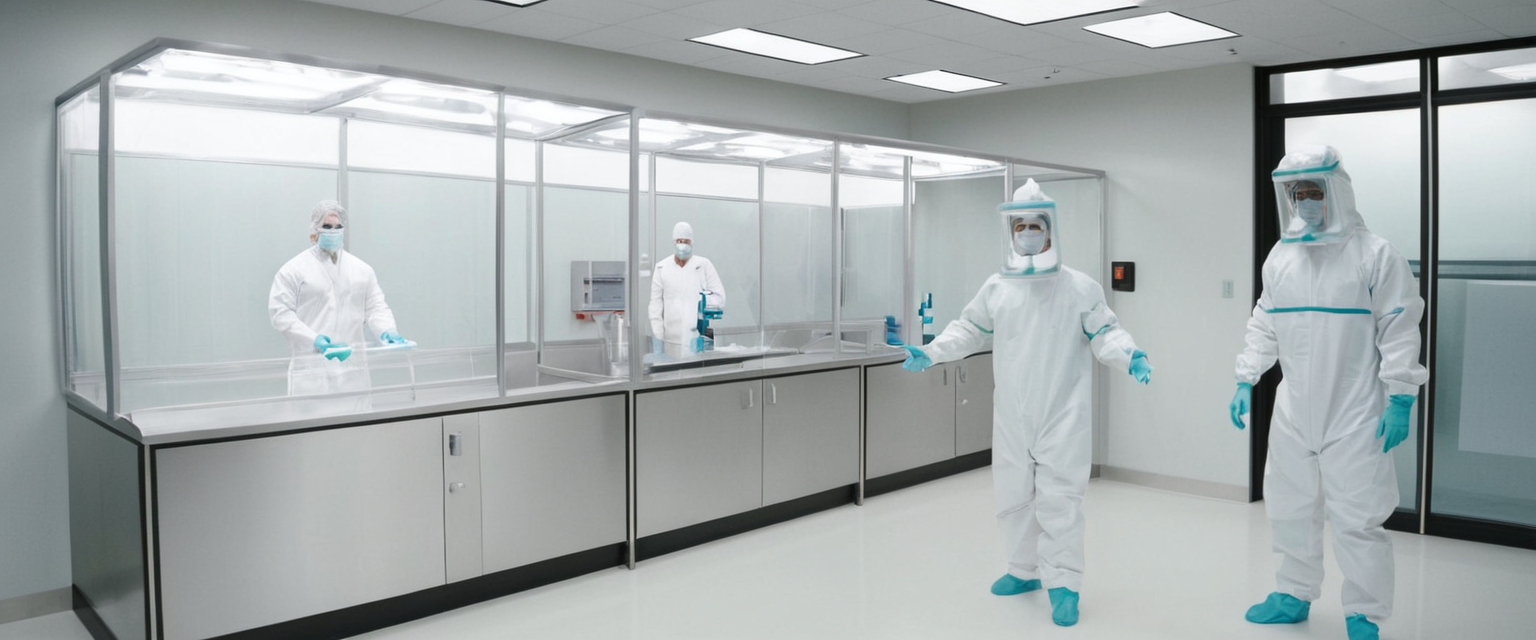
Once malware infection has been confirmed or reasonably suspected, the next critical phase involves immediately preventing the infection from spreading to other systems or exfiltrating additional data to remote attackers. This containment phase precedes actual removal efforts and serves as an essential protective measure that many infected system owners inadvertently skip. The CompTIA A+ certification curriculum identifies system quarantine as the second step in the industry-standard seven-step malware removal process, underscoring its importance in comprehensive infection response. Quarantine involves completely isolating the infected system from both network connectivity and physical access to removable media, effectively cutting off communication channels that malware might use to spread or transmit data.
The initial quarantine action requires immediately disconnecting the infected computer from network access through multiple methods to ensure complete isolation. Users should physically unplug Ethernet cables from infected machines, not merely disable them through software settings, because sophisticated malware may re-enable disabled network interfaces. Wireless network connections must be disabled in settings menus or through physical airplane mode features if available on the device. For systems that prove particularly resistant to isolation attempts, administrators should implement network-level quarantine through endpoint detection and response solutions that block network access at the network access control level, preventing the infected machine from communicating with any other network resources. This network-level isolation proves especially important in organizational environments where a single infected system could potentially compromise an entire network infrastructure.
Beyond network disconnection, users must address secondary communication interfaces that malware might exploit to maintain contact with remote command-and-control servers or spread infection to nearby devices. Bluetooth connections should be explicitly disabled, along with any other wireless communication protocols the device supports. In many cases, removing removable storage media such as USB drives, external hard drives, or SD cards from the infected system provides essential protection against cross-contamination, ensuring that backup copies or restored files will not inadvertently reinfect the primary system. Users should physically isolate these removable devices and quarantine them separately, preventing anyone from connecting them to other computers where they might introduce infection. If the infected system is part of a larger network environment, IT administrators should remove the machine from network domains, workgroups, and access lists, ensuring it cannot access shared resources or remote services that might contain valuable data or systems.
The quarantine phase also includes critical decisions about data preservation and backup procedures. Contrary to intuition, performing backups during the quarantine phase before removal is complete should generally be avoided, as these backups would capture and preserve the malware infection itself, potentially allowing reinfection when backups are later restored. However, in certain circumstances where system recovery data proves essential, creating isolated backups on separate, non-networked storage devices provides a preservation mechanism while preventing automatic restoration of infected content. This approach allows recovery of specific files or data after the malware has been completely removed and verified clean, rather than restoring entire contaminated backups that reintroduce the infection.
Protect Your Digital Life with Activate Security
Get 14 powerful security tools in one comprehensive suite. VPN, antivirus, password manager, dark web monitoring, and more.
Get Protected NowA particularly important but often-overlooked quarantine procedure involves disabling Windows System Restore functionality if the system runs Windows. Modern malware authors specifically target System Restore restore points, infecting those snapshots so that users attempting to roll back their systems to supposedly clean states actually restore infected system states instead. By disabling System Restore during the malware removal process, these infected restore points become inaccessible, preventing their use in re-establishing infection after cleanup efforts. This counterintuitive step acknowledges the sophisticated behavior of contemporary malware that automatically propagates itself throughout system recovery mechanisms. After removal and verification that the system is clean, System Restore can be re-enabled and fresh restore points created from the confirmed-clean system state.
Executing Effective Malware Removal Strategies
The actual malware removal phase represents the core technical intervention where infected files are identified, quarantined, and deleted from the system. However, successful removal requires careful preparation and systematic execution of multiple scanning and verification steps rather than simply trusting a single antivirus scan to completely eliminate all traces of infection. Industry best practices establish a seven-step removal process that has proven effective across diverse malware threats, providing a structured framework that maximizes removal success rates.
Before commencing removal operations, the antivirus or anti-malware software must be updated to ensure it possesses the latest threat signatures and detection capabilities. Many malware infections specifically prevent security software from updating, as the malware benefits from the security software remaining unable to recognize newly developed threat variants. If the infected system prevents software updates through system lock-out, interface freezing, or deliberate update blocking, users may need to download updated virus definitions on a separate, uninfected computer and transfer them to the infected system via USB drive or other removable media. This technical workaround requires additional effort but proves essential when malware has successfully compromised normal update mechanisms. Additionally, the infected system may require booting into Safe Mode, a reduced operating system configuration that loads only essential drivers and services while preventing most malware from automatically executing during startup.
Safe Mode provides a constrained environment where antivirus scanning becomes more effective because malware processes are not running to interfere with detection and removal operations. Accessing Safe Mode varies slightly by Windows version but typically involves restarting the computer and selecting Safe Mode from the boot menu or using specific keyboard combinations during startup. Some infections may prevent Safe Mode access entirely, reflecting the sophistication and persistence mechanisms built into advanced malware. Running comprehensive full-system scans represents the critical action that identifies all malware files present on the system. Unlike quick scans that check only commonly infected locations and system memory, full system scans examine every file on every drive connected to the computer, including external drives and USB devices that may harbor infection. These comprehensive scans require significant time investment, often consuming many hours to examine hundreds of thousands of files, but the thoroughness proves essential for identifying deeply embedded or camouflaged malware.
Specialized anti-malware tools often prove more effective than general-purpose antivirus software at detecting certain malware categories, particularly adware, potentially unwanted programs, and sophisticated threats that evade mainstream antivirus detection. Tools like Malwarebytes, Emsisoft Emergency Kit, and AdwCleaner employ different detection methodologies and heuristics than mainstream antivirus products, frequently identifying infections that primary antivirus scans may miss. Running secondary scans with specialized anti-malware tools after initial antivirus cleanup increases confidence in complete removal, as different tools often detect different threats based on their unique threat databases and analytical approaches. For boot-sector malware and rootkits that hide deeply within operating system structures, specialized offline scanning tools prove invaluable. Bootable USB drives containing antivirus software like Norton Bootable Recovery Tool, Panda Rescue Kit, or Avira Rescue System allow scanning and removal of malware before the compromised operating system fully loads, when malware has fewer defensive options available.
Ransomware infections present a particularly complex removal challenge because the primary concern shifts from simply removing the malicious code to potentially recovering encrypted files. While removing the ransomware itself prevents further damage and stops the encryption process, the already-encrypted files remain inaccessible unless decryption keys can be obtained or specific decryption tools exist for particular ransomware families. Security researchers and antivirus companies have developed free decryption tools for certain ransomware families where encryption weaknesses exist or where attackers have been apprehended and decryption keys recovered. Websites like No More Ransom Project maintain catalogs of free decryption tools for specific ransomware families, and consulting these resources should be the first step for ransomware victims seeking file recovery options. Paying ransom to attackers is universally discouraged by law enforcement and cybersecurity professionals, as ransom payments fund criminal operations, encourage further attacks, and provide no guarantee that decryption keys will actually work or be provided after payment.
Manual intervention and registry cleaning may become necessary if automated removal tools cannot eliminate all traces of infection despite multiple scans. However, manual registry editing carries substantial risk of causing system instability or complete operating system failure, and should only be attempted by users with significant technical knowledge. Malware often modifies registry entries to establish persistence, auto-start mechanisms, or to hijack system functions, and these registry modifications must be removed to prevent malware reinstatement after removal of primary malware files. System File Checker and Deployment Image Servicing and Management utilities on Windows systems can scan and repair corrupted or modified system files that malware may have damaged during infection. Running these repair utilities after initial malware removal helps restore system stability and ensures that system files remain uncorrupted by malware interference.
Post-removal verification through repeated secondary scans represents an essential step that many users omit, leaving uncertainty about whether malware has been completely eliminated. Running additional scans twenty-four to forty-eight hours after initial removal sometimes detects malware that survived initial removal attempts, particularly sophisticated malware with multiple re-infection mechanisms or malware designed to monitor removal tools and conceal portions of itself from automated detection. Successful complete removal should result in clean scans with zero detections from multiple different antivirus and anti-malware tools, not just a single tool returning clean results.

Recovery, Verification, and System Restoration
Following successful malware removal and verification of complete infection elimination, systems require careful restoration to return to normal operational status while preventing re-infection through restored contaminated files or data. The recovery phase extends beyond simple file restoration, encompassing verification of system integrity, updated security configuration, and implementation of preventative measures. For systems that have experienced severe malware damage, data corruption, or catastrophic stability issues despite successful malware removal, complete operating system reinstallation from clean installation media represents the most reliable recovery path, despite the significant time and effort required.
Reinstalling Windows or the relevant operating system from original installation media or trusted cloud-based recovery services provides absolute certainty that no residual malware remains in system files or the operating system kernel itself. This nuclear option approach, sometimes called factory reset or clean installation, involves completely erasing the hard drive and reinstalling the operating system from scratch, necessarily resulting in complete loss of all personal files, installed applications, and system configurations unless they were previously backed up on separate, verified-clean storage media. While drastic, this approach guarantees complete malware removal even against sophisticated boot-sector malware and rootkits that may survive traditional removal procedures. For systems where critical applications or extensive data loss would result from complete reinstallation, organizations often employ imaging and restoration procedures where clean backups created before malware infection are restored after removal verification, bringing systems back to known-clean states without complete reinstallation.
Data restoration from backups requires careful attention to backup source verification. Using backups created before the malware infection date ensures that restored data will not reintroduce infection. If backup dates cannot be verified or all available backups may contain malware, restoring only specific verified-clean files rather than entire system images provides a safer approach. Users should manually verify that restored files do not exhibit malware characteristics before trusting them entirely. Creating new backup copies after malware removal and system stabilization establishes clean recovery points for future use, replacing potentially contaminated backups that may have captured malware during infection periods.
Password reset and credential invalidation represent essential post-removal activities often overlooked by users focused primarily on technical malware elimination. Malware, particularly infostealer variants designed to harvest credentials, may have captured passwords, security keys, authentication tokens, and other credentials that attackers could use to compromise related accounts even after malware removal. Users should immediately change passwords for all critical accounts, particularly financial institutions, email providers, and accounts with administrative privileges. For enterprise environments, this credential reset should extend to domain administrator accounts, remote access credentials, and service accounts that the malware may have compromised. Using unique, complex passwords that have never been used before ensures that even if attackers captured previous passwords, the new credentials remain secure. Multi-factor authentication should be enabled on all critical accounts, adding an additional protection layer that prevents account compromise even if passwords have been captured.
System monitoring and behavioral observation following malware removal helps identify incomplete removal or re-infection attempts. Users should pay particular attention to whether symptoms that prompted removal efforts have completely resolved, or whether partial symptoms persist indicating remaining malware fragments. Performance should improve noticeably if resource-consuming malware has been removed. Pop-up advertisements, unwanted browser redirects, and other visible malware symptoms should cease immediately after complete removal. If symptoms persist or recur after removal efforts, this indicates either incomplete removal requiring additional scanning cycles or re-infection through compromised backup files, remaining vulnerabilities, or user behaviors that reintroduced infection.
Prevention and Long-Term Protection Strategies
Effective malware prevention represents the highest priority in cybersecurity, preventing infections far more effectively than even the most sophisticated removal procedures. Prevention strategies operate across multiple layers, combining technical controls, system maintenance, user education, and behavioral modifications to minimize malware infection risk. Installing and maintaining updated antivirus and anti-malware software on all computers represents the foundational preventative measure. Modern antivirus solutions like Avast Free Antivirus, Bitdefender, Norton, or Malwarebytes provide real-time threat protection that continuously monitors file access, downloads, and executable operations to intercept malware before it can establish infection.
Real-time protection features operate in the background, automatically scanning files as users open them or programs download them from the internet, intercepting malicious files before they can execute and establish infection. This real-time scanning requires minimal user intervention, operating silently and efficiently to provide continuous protection. Users should ensure that real-time protection remains enabled at all times and that their antivirus software is configured to automatically update virus definitions daily or at frequent intervals ensuring detection capabilities remain current against newly discovered threats.
Keeping operating systems and applications updated through regular patching represents the second critical prevention layer, addressing security vulnerabilities that malware exploits to gain system access. Security patches released by operating system vendors and software publishers specifically address known security weaknesses, and delaying patch installation leaves systems vulnerable to known exploitable flaws. Windows Update, macOS Software Update, and equivalent services on other operating systems should be enabled for automatic updates, ensuring that critical security patches install immediately when released without requiring user intervention. Similarly, web browsers, Java Runtime, Adobe Reader, and other commonly targeted applications should be kept updated to their latest versions. Creating automatic update schedules or reminders ensures that users who disable automatic updates still regularly install available patches rather than indefinitely delaying security updates.
User education and behavioral modifications reduce infection likelihood substantially, as social engineering and user error remain primary malware distribution vectors. Users should exercise extreme caution with email attachments, particularly files with executable extensions or documents that request permission to execute macros. Phishing emails designed to trick users into clicking malicious links or opening infected attachments represent among the most common malware distribution methods, and user skepticism toward unsolicited emails significantly reduces compromise risk. Suspicious links should not be clicked, suspicious email attachments should never be opened, and urgent requests for credential information should be treated with extreme skepticism even if purportedly from legitimate sources. Users should verify website legitimacy before entering credentials or financial information, looking for secure connection indicators like HTTPS and padlock icons.
Downloads should be restricted to official sources such as manufacturer websites or established app stores rather than random internet sources where malware-disguised software proliferates. When installing software from downloaded files, users should carefully review installation prompts and select custom installation options to avoid accidentally installing bundled adware or potentially unwanted programs that often accompany freeware and shareware downloads. Disabling unnecessary services, browser extensions, and plug-ins reduces attack surfaces and limits malware’s options for compromising system functionality. Safe web browsing practices include enabling pop-up blockers, using private browsing modes that limit tracking, and being generally skeptical of websites offering suspicious content.
Network security measures complement endpoint protections by preventing malware from spreading across networks after initial infection. Firewalls, whether software firewalls built into operating systems or hardware firewalls deployed at network boundaries, monitor and control network traffic to block unauthorized communications attempts and prevent malware from contacting remote command-and-control servers. Network segmentation isolates critical systems from general-use computers, preventing malware from spreading laterally across entire network infrastructure if a single system becomes compromised. Two-factor authentication adds substantial protection against account compromise even if malware has captured credentials, requiring additional proof of identity beyond passwords to access sensitive systems and data.
Regular data backups represent final essential prevention measures, ensuring that even if malware destroys or encrypts files, recent backups preserve critical data for recovery. Backups should be kept on disconnected, offline storage that malware cannot access or encrypt, separate from primary systems where malware might corrupt or delete backup files. Testing backup restoration periodically ensures that backup data actually works for recovery rather than discovering backup failures during genuine emergency situations. Backup strategies should include both full system backups for complete system recovery and incremental or differential backups for more frequent backup cycles with minimal storage overhead.

Advanced Cases and Professional Intervention
Certain malware infections prove so sophisticated or deeply embedded that standard removal procedures fail to achieve complete elimination, requiring advanced technical interventions or professional assistance from specialized security firms. Rootkit infections exemplify this complexity category, as rootkits employ sophisticated concealment techniques that hide malware deep within operating system kernels or firmware, rendering them invisible to normal file-listing operations and system monitoring tools. Standard antivirus scanning often fails to detect rootkits because the rootkit intercepts system calls, modifying what the antivirus software observes and hiding the malware’s presence by making infected files appear invisible or falsely reporting their absence.
Detecting rootkits requires specialized anti-stealth technology that examines system behavior at multiple abstraction levels and compares multiple system monitoring approaches to identify discrepancies revealing rootkit presence. ESET anti-stealth technology, Norton Power Eraser, and similar specialized tools employ multiple detection methodologies simultaneously, comparing results from different scanning approaches to identify hidden malware that evades individual scanning methods. Boot-time scanning and offline scanning prove particularly effective against rootkits because they scan systems before the rootkit fully activates and before it can intercept system calls and conceal itself.
Boot-sector malware represents another advanced threat category where malware embeds itself in the Master Boot Record or other boot-time code locations that execute before the operating system loads, allowing the malware to persist even after complete operating system reinstallation. These threats prove extraordinarily difficult to remove because standard operating system removal procedures do not affect bootloader code, and the malware persists even after fresh Windows installation on reformatted hard drives. Addressing boot-sector malware requires bootable antivirus media that scans and repairs boot structures before the contaminated bootloader executes, along with potential motherboard firmware updates to remove malware embedded in UEFI/BIOS code. In extreme cases where firmware infection occurs, replacement of motherboard or complete hardware replacement may be necessary.
Professional malware removal services offered by security firms, computer repair shops like Best Buy’s Geek Squad, or Micro Center provide valuable assistance for users lacking technical expertise or facing complex infections that exceed their knowledge level. These services employ skilled technicians with specialized tools and access to threat intelligence databases that identify exotic malware variants and complex infections beyond consumer tools’ detection capabilities. Professional services typically include comprehensive system diagnostics identifying all malware present, complete removal of detected threats, system restoration, and recommendations for preventing future infections. For critical business systems or situations where data loss would cause severe consequences, professional services justify their costs through guaranteed removal and data preservation expertise.
Enterprise incident response teams employ advanced forensic analysis techniques to investigate malware infections, determine attack vectors, identify compromised credentials, and implement remediation at scale across affected infrastructure. These teams utilize endpoint detection and response solutions that provide real-time visibility into system behavior, allowing early detection of intrusions and malware activity before significant damage occurs. Memory forensics examines system memory contents to identify running malware and reconstruct attacker activities even after malware removal. Network traffic analysis examines communications to remote servers to identify command-and-control server addresses and determine what data attackers may have accessed or exfiltrated.
Your Final Victory Against Malware
Comprehensive malware removal represents a multifaceted technical challenge requiring systematic execution of procedural steps spanning initial identification through long-term prevention. The seven-step CompTIA malware removal process—investigate, quarantine, disable system restore, remediate, schedule scans and updates, re-enable system restore, and educate users—provides a proven framework that has consistently produced successful removal outcomes across diverse malware threats. Success requires more than simply running antivirus scans; instead, effective malware removal demands careful preparation, systematic execution, thorough verification, and implementation of preventative measures that reduce reinfection risk.
Understanding malware diversity and recognizing how different threat types require distinct removal approaches fundamentally improves removal success rates. Sophisticated threats like rootkits and boot-sector malware demand specialized tools and techniques that standard removal procedures cannot address. Immediate quarantine procedures that isolate infected systems from network access and other computers prevent malware spread and reduce damage scope. Secondary scanning with multiple antivirus and anti-malware tools dramatically improves detection rates compared to relying on single tools that may fail to identify certain threat categories.
Post-removal verification and credential management ensure that removal achievements persist and prevent credential-based re-compromise even after successful malware elimination. Most importantly, investing in prevention through maintained antivirus software, regular system updates, user education, and secure backup practices prevents infections far more effectively than even the most sophisticated removal procedures. Users and organizations should prioritize malware prevention as their primary cybersecurity objective, recognizing that prevention investments yield exponentially better returns than spending comparable resources on incident response and malware removal after infections have already occurred and potentially caused significant damage.
The evolving threat landscape, characterized by increasingly sophisticated malware variants and the emergence of generative AI-powered attack capabilities, demands continuous adaptation of removal and prevention strategies. Security consciousness must become embedded within organizational cultures and user behaviors, making vigilance against malware a shared responsibility rather than solely a technical team concern. By implementing comprehensive removal procedures when infections occur and maintaining rigorous prevention practices continuously, users and organizations can substantially minimize malware risk and protect their critical systems and data from these persistent and evolving threats.